> For the complete documentation index, see [llms.txt](https://documentation.siteglide.com/llms.txt). Markdown versions of documentation pages are available by appending `.md` to page URLs; this page is available as [Markdown](https://documentation.siteglide.com/studio-and-sitebuilder/setup-sitebuilder/layouts/installing-layouts.md).
# Installing Dynamic Layouts
Easily insert dynamic layouts for Siteglide Modules via SiteBuilder
{% hint style="info" %}
Looking for Static Layouts? They don't need to be installed, see: [Insert Static Layouts](https://documentation.siteglide.com/studio-and-sitebuilder/setup-sitebuilder/layouts/static-layouts.md)
{% endhint %}
## Modules and Dynamic Layouts
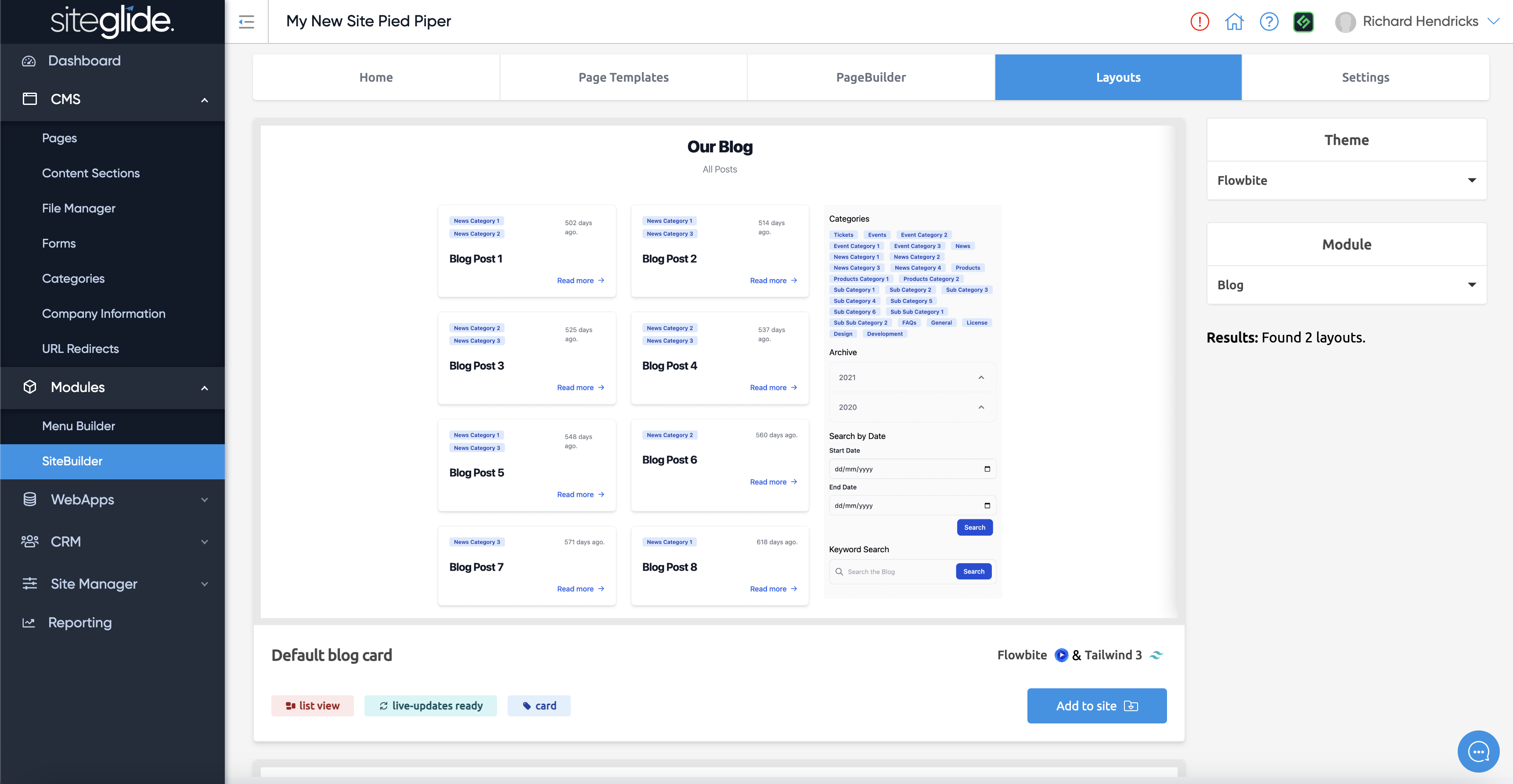
Once you've installed a Page Template, the other tabs will be available including the Layouts tab. Here you can toggle the Module on the right hand side and view all the different dynamic layouts available.
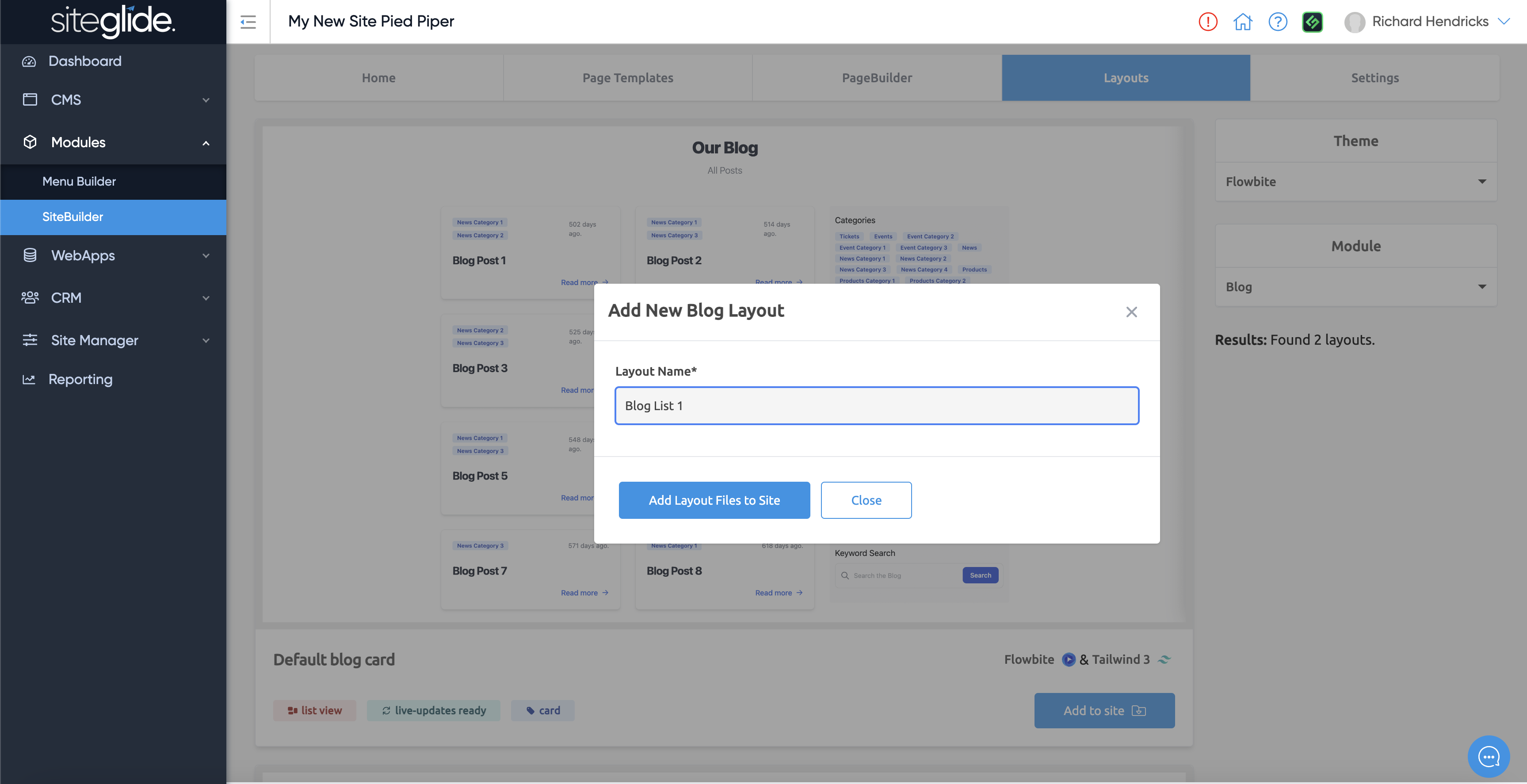
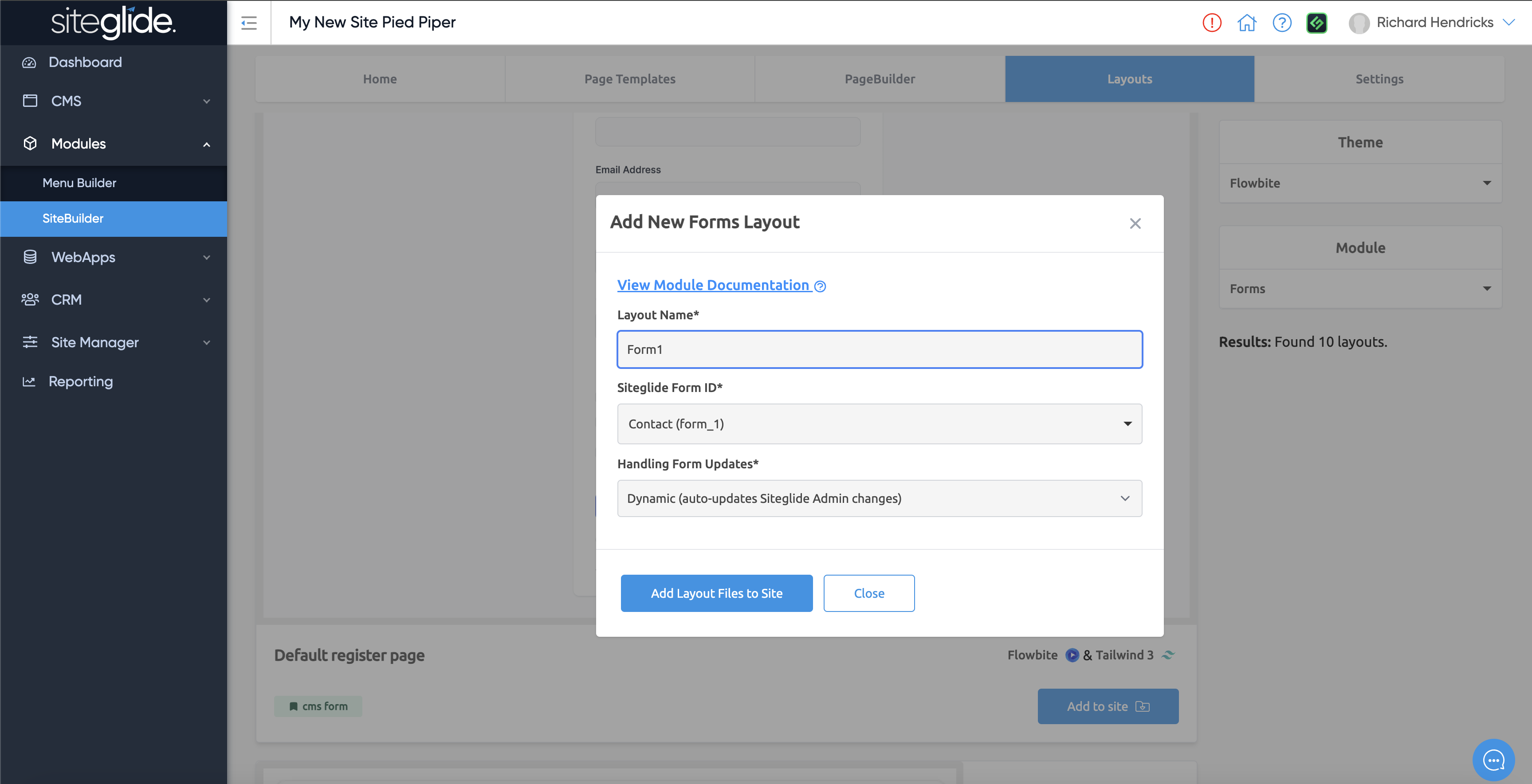
When you find a layout you want to use just click Add to Site, in the modal you will need to give the layout a name and there might be some additional settings to complete depending on the Module:
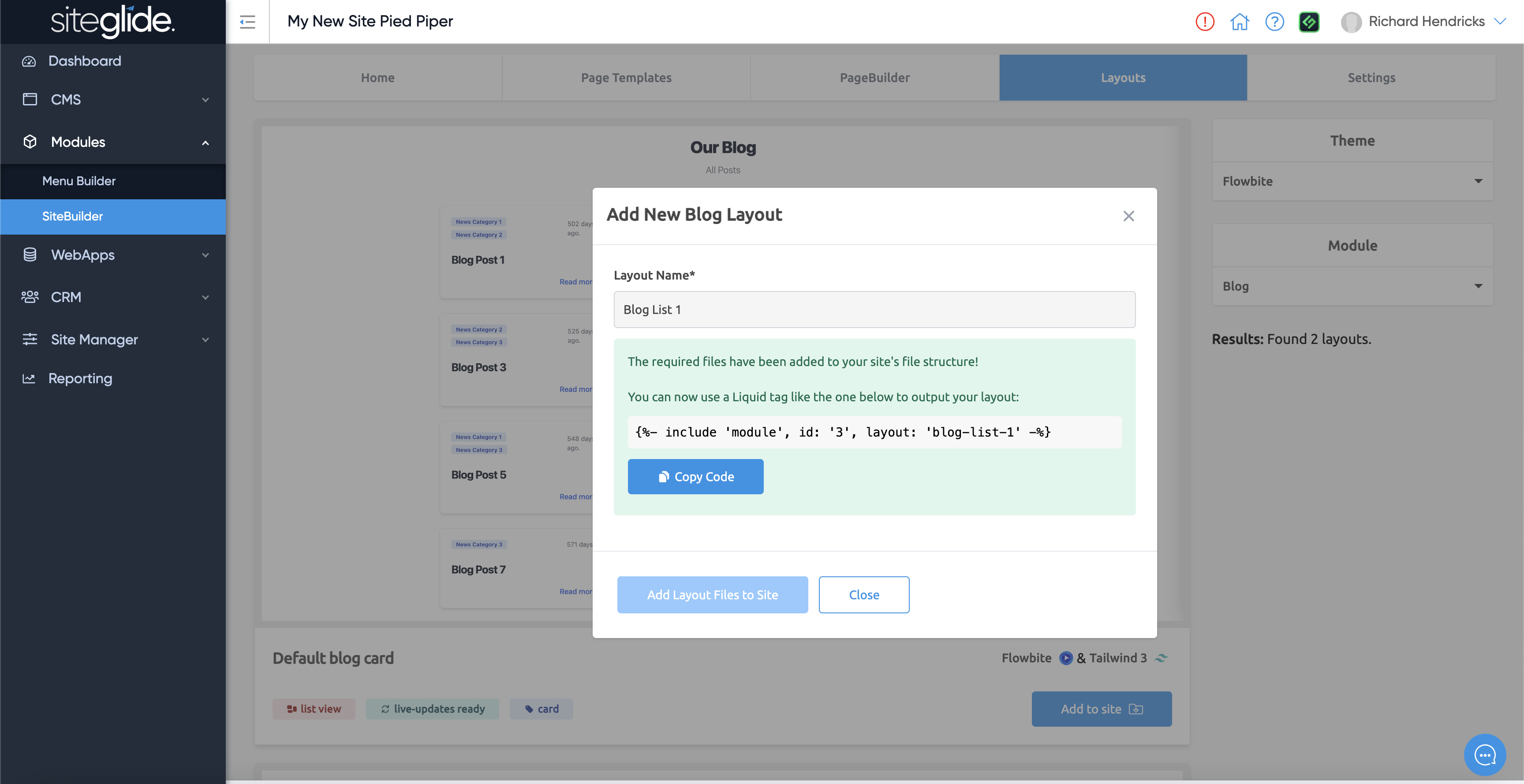
Once installed you can copy the include code that you just insert into your chosen HTML page.
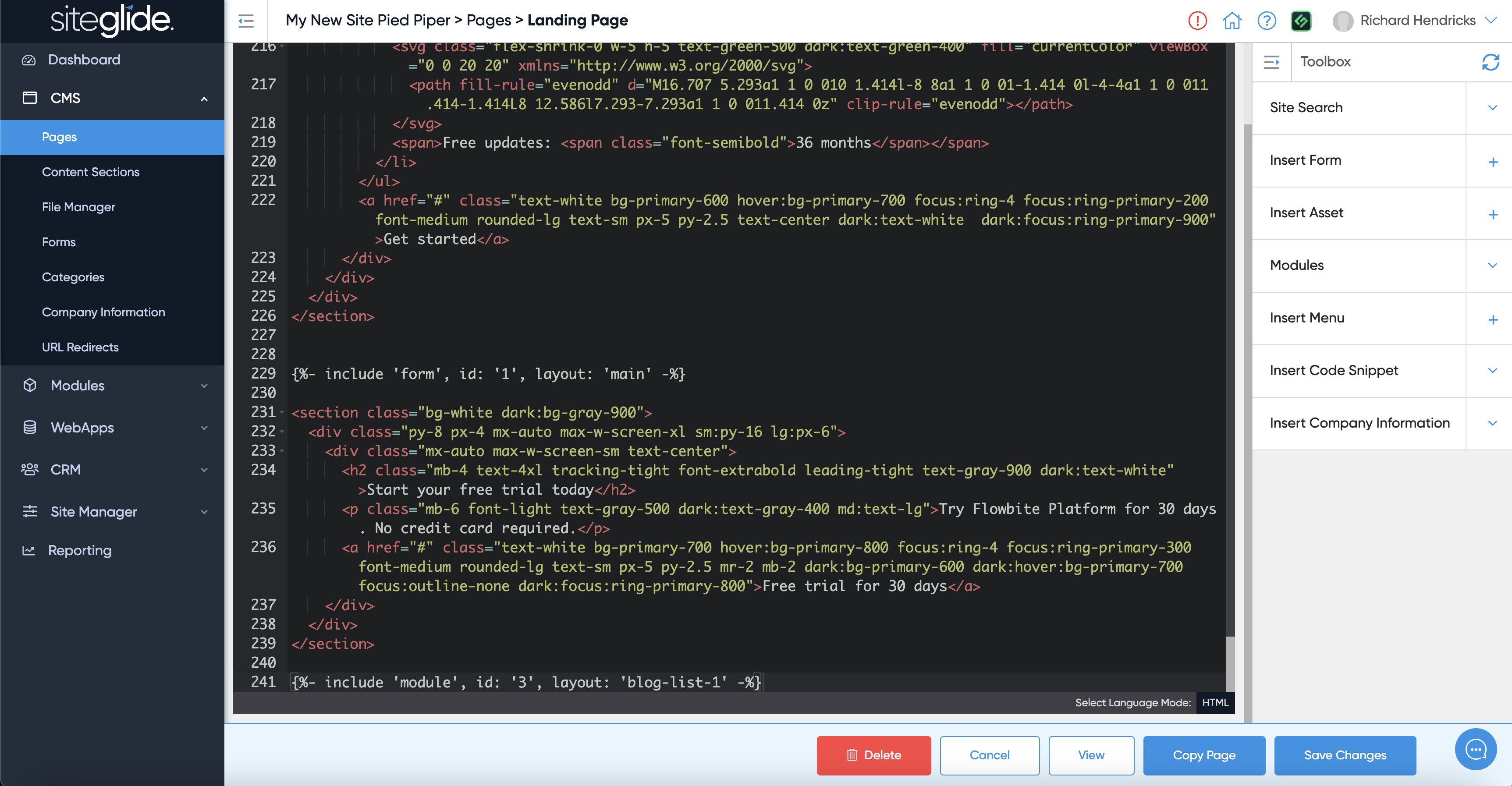
You can insert it via CLI or via the Admin. Simply paste in where you want it to display:
## Dynamic Form Layouts
A really powerful part of SiteBuilder is the Dynamic Form Layouts that automatically update to reflect any changes to forms. For example you could add or edit fields in the form and the layout will update automatically!
Here's a video that walks through the basics:
{% embed url="" %}
More information on Form Layout options with SiteBuilder:
{% content-ref url="/pages/rlgplQgWF5mJbH3f2w0k" %}
[Static and Dynamic Form Layouts](https://documentation.siteglide.com/studio-and-sitebuilder/setup-sitebuilder/layouts/about-layouts/static-and-dynamic-form-layouts.md)
{% endcontent-ref %}
More info on Dynamic Layouts:
{% content-ref url="/pages/cGDgjnUP1RWdMOn7Sdzx" %}
[Dynamic Layouts](https://documentation.siteglide.com/studio-and-sitebuilder/setup-sitebuilder/layouts/about-layouts/dynamic-layouts-in-sitebuilder.md)
{% endcontent-ref %}
## Next Steps:
Want to add more Modules to your site?
{% content-ref url="/pages/hhLQjvLlesakg6P9wEue" %}
[Install & Manage Modules](https://documentation.siteglide.com/portal/sites/install-and-manage-modules.md)
{% endcontent-ref %}
Want to edit the Module Layouts themselves? We recommend doing this via CLI but you can also do it in Admin: