> For the complete documentation index, see [llms.txt](https://documentation.siteglide.com/llms.txt). Markdown versions of documentation pages are available by appending `.md` to page URLs; this page is available as [Markdown](https://documentation.siteglide.com/portal/agencies/site-copies.md).

# Site Copies

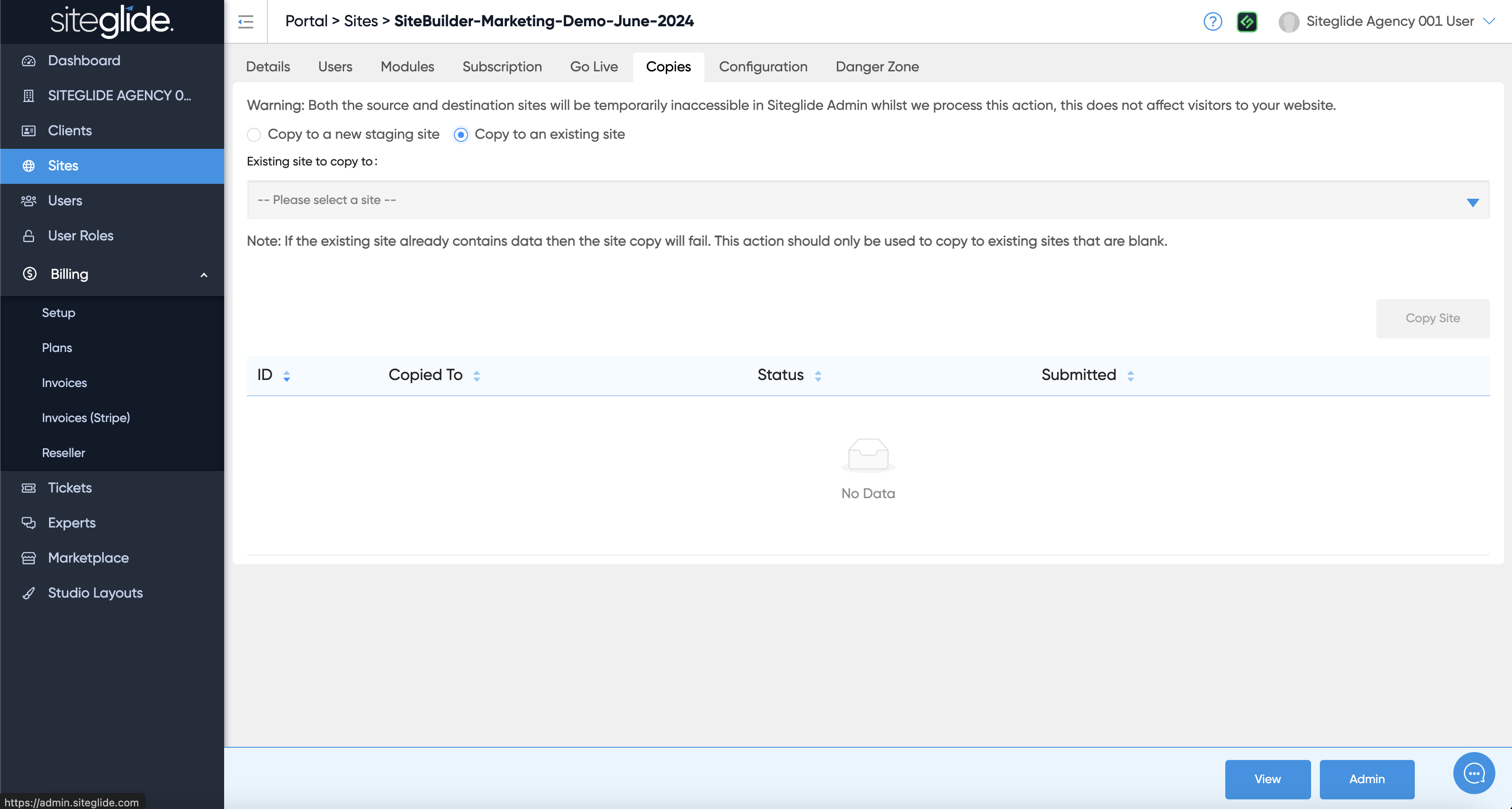
An Agency only feature is being able to make copies of existing sites either to a blank Staging or to an existing Site (can be a Production Site):

<figure><img src="https://584571746-files.gitbook.io/~/files/v0/b/gitbook-x-prod.appspot.com/o/spaces%2Ft7n2OYNNUr9PgpkBD2eX%2Fuploads%2Fgit-blob-a1fa3ed916b29e36c84c9d5b0d3c7020c154fc9b%2FSiteglide-Agency-Site-Copies.png?alt=media" alt=""><figcaption></figcaption></figure>

To copy to a new Staging Site click the first radio button and then choose the Site Owner (your Agency or a Client folder) and give the Site a Name/URL:

<figure><img src="https://584571746-files.gitbook.io/~/files/v0/b/gitbook-x-prod.appspot.com/o/spaces%2Ft7n2OYNNUr9PgpkBD2eX%2Fuploads%2Fgit-blob-e8dca400f005e67ffbf28d50b7e830e8a685b9f8%2FSiteglide-Agency-Copies-Staging.png?alt=media" alt=""><figcaption></figcaption></figure>

To copy to an existing site (Trial or Production) click the second radio button and then choose the Site from the dropdown:
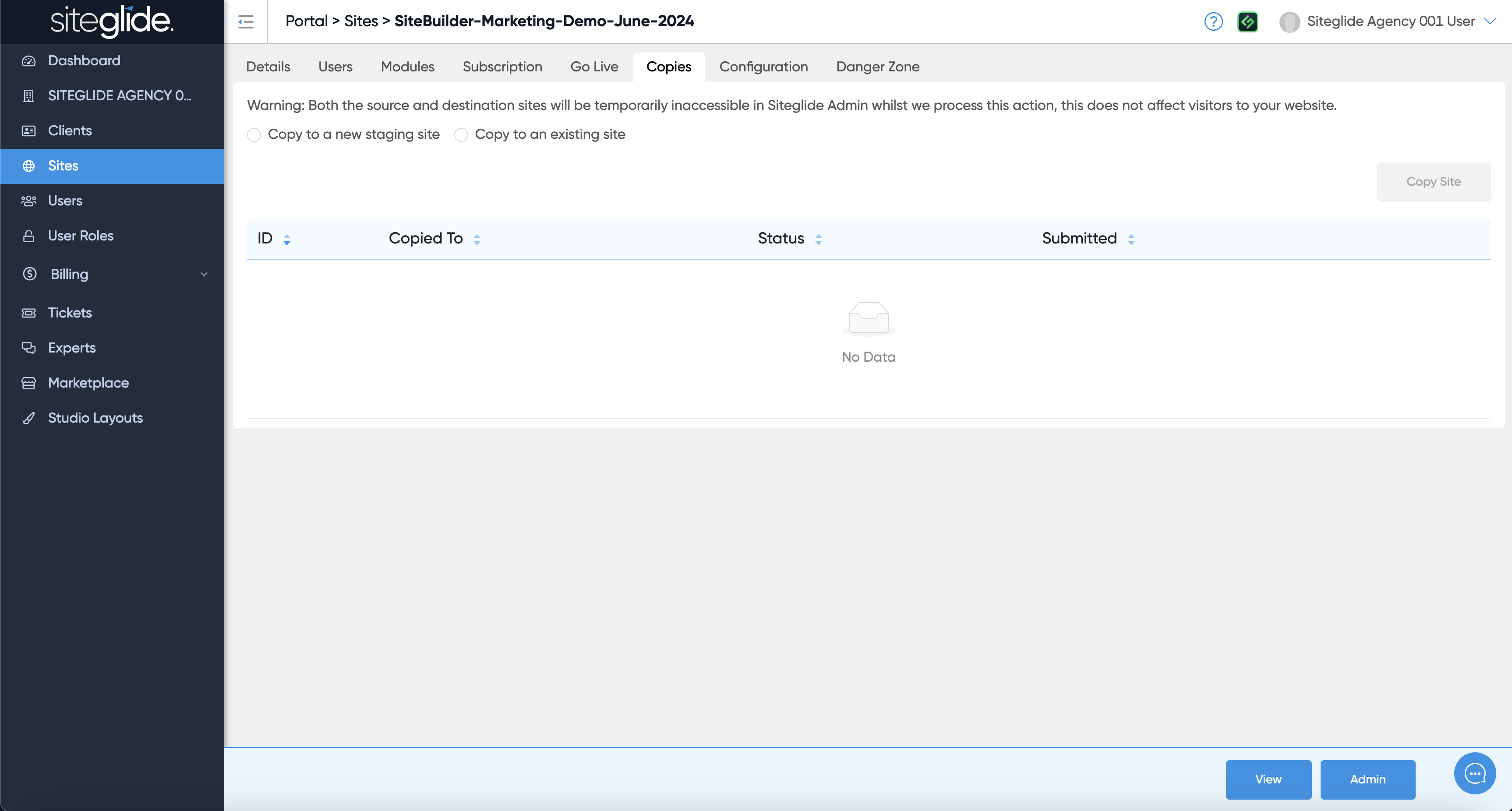
<figure><img src="https://584571746-files.gitbook.io/~/files/v0/b/gitbook-x-prod.appspot.com/o/spaces%2Ft7n2OYNNUr9PgpkBD2eX%2Fuploads%2Fgit-blob-f30e8880dcb02f8ea416ecac955351d75ccbdcbc%2FSiteglide-Agency-Copies-Production.png?alt=media" alt=""><figcaption></figcaption></figure>