> For the complete documentation index, see [llms.txt](https://documentation.siteglide.com/llms.txt). Markdown versions of documentation pages are available by appending `.md` to page URLs; this page is available as [Markdown](https://documentation.siteglide.com/modules/core-modules/media-downloads/quickstart-media-downloads.md).
# Quickstart: Media Downloads
## Step 1: Install the Media Downloads Module
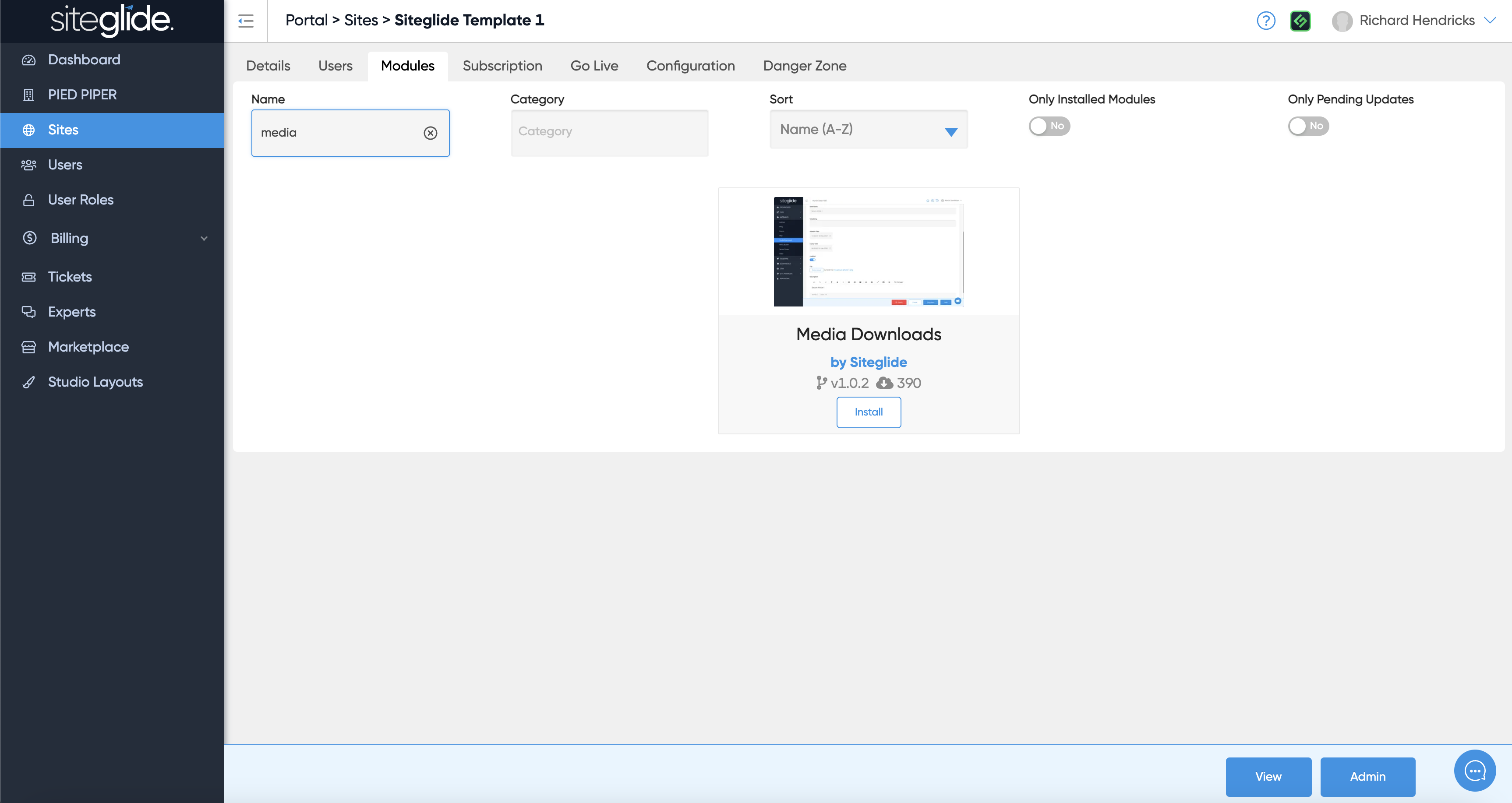
Go to the Modules tab on the Site in Portal and search or find Media Downloads. Then click install:
More on Installing and Managing Modules:
{% content-ref url="/pages/hhLQjvLlesakg6P9wEue" %}
[Install & Manage Modules](https://documentation.siteglide.com/portal/sites/install-and-manage-modules.md)
{% endcontent-ref %}
## Step 2: Create an Item
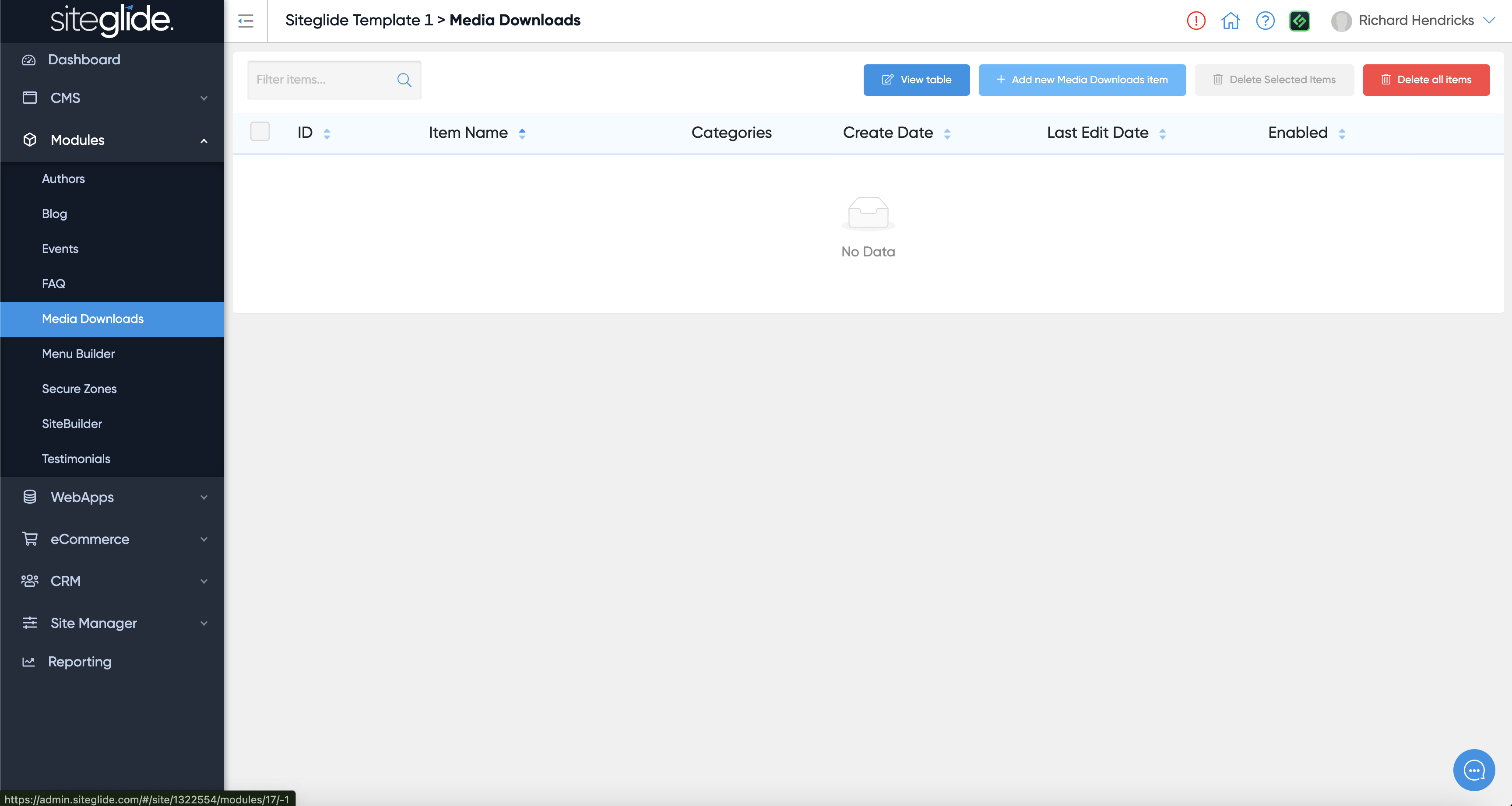
Go to the Module and create a new Item or edit any existing Items. You can also click view table to edit the Module itself:
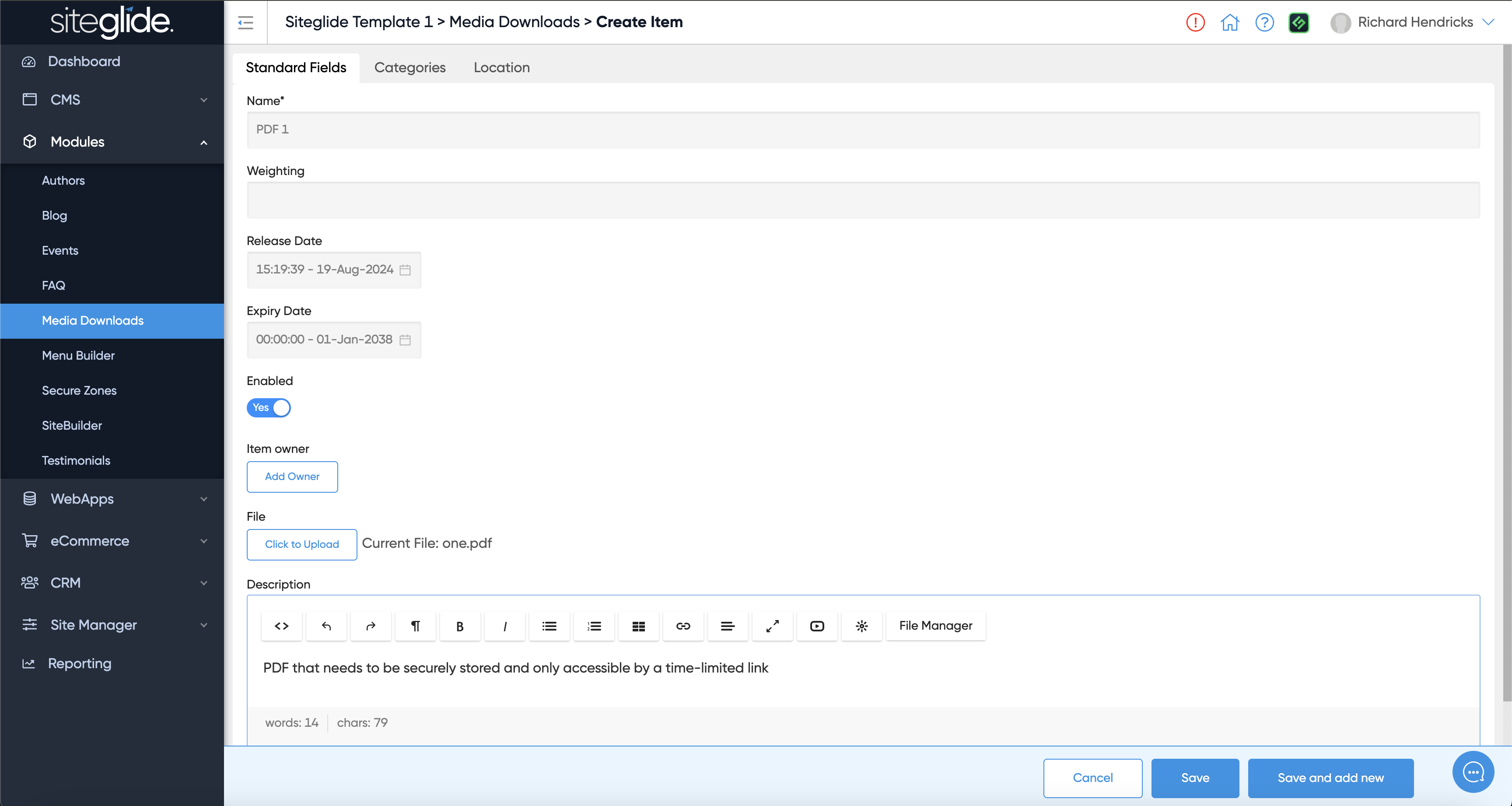
Give the item a name, upload a file (typically PDFs) and give it a description (optional):
## Step 3: Output on a Page
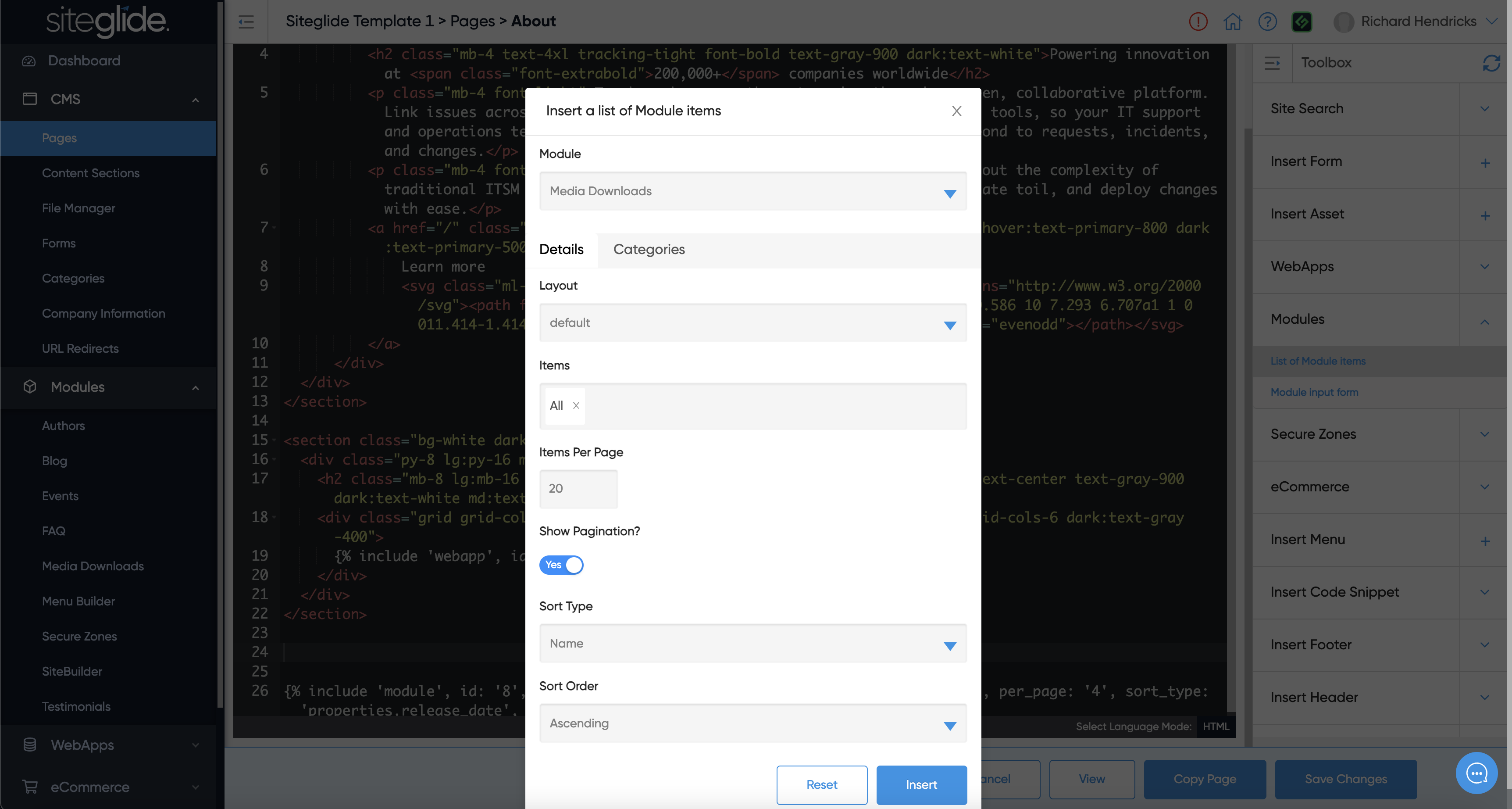
You can output a link to the file on a webpage by using Toolbox:
For full control over the design and functionality you can edit the Layouts:
{% content-ref url="/pages/F2kT5aUsjtVolG28t0FQ" %}
[Layouts](https://documentation.siteglide.com/modules/core-modules/media-downloads/layouts.md)
{% endcontent-ref %}
For a full list of fields availabe check out our Reference guide:
{% content-ref url="/pages/zfUQZ8CAz2lRCjbR2o8G" %}
[Reference](https://documentation.siteglide.com/modules/core-modules/media-downloads/reference.md)
{% endcontent-ref %}